
Banner Background
Web App

Astra

Astra is a sleek, conversion-focused SaaS landing page template for no-code website builders, web creation platforms, and drag-and-drop design tools. Built with Next.js and TypeScript, Astra demonstrates through interactive mockups how users can build professional websites without any coding knowledge. The template features a prominently displayed product editor preview that allows visitors to visualize your platform in action, reducing adoption friction and increasing conversion rates. Astra's signup authentication flow is optimized for user onboarding, guiding visitors smoothly from awareness to activation. The design emphasizes simplicity and speed, with clear benefit statements, customer testimonials, and focused call-to-action elements throughout the page. Built with Shadcn UI components and Tailwind CSS for responsive design, Astra loads lightning-fast with Next.js and includes all necessary SEO optimizations for top search engine rankings.

Next JSReact JSTypescriptTailwind CSSFramer Motionshadcn/uiShadcn UIGitGithubVercelpnpm
Astra Preview

Overview

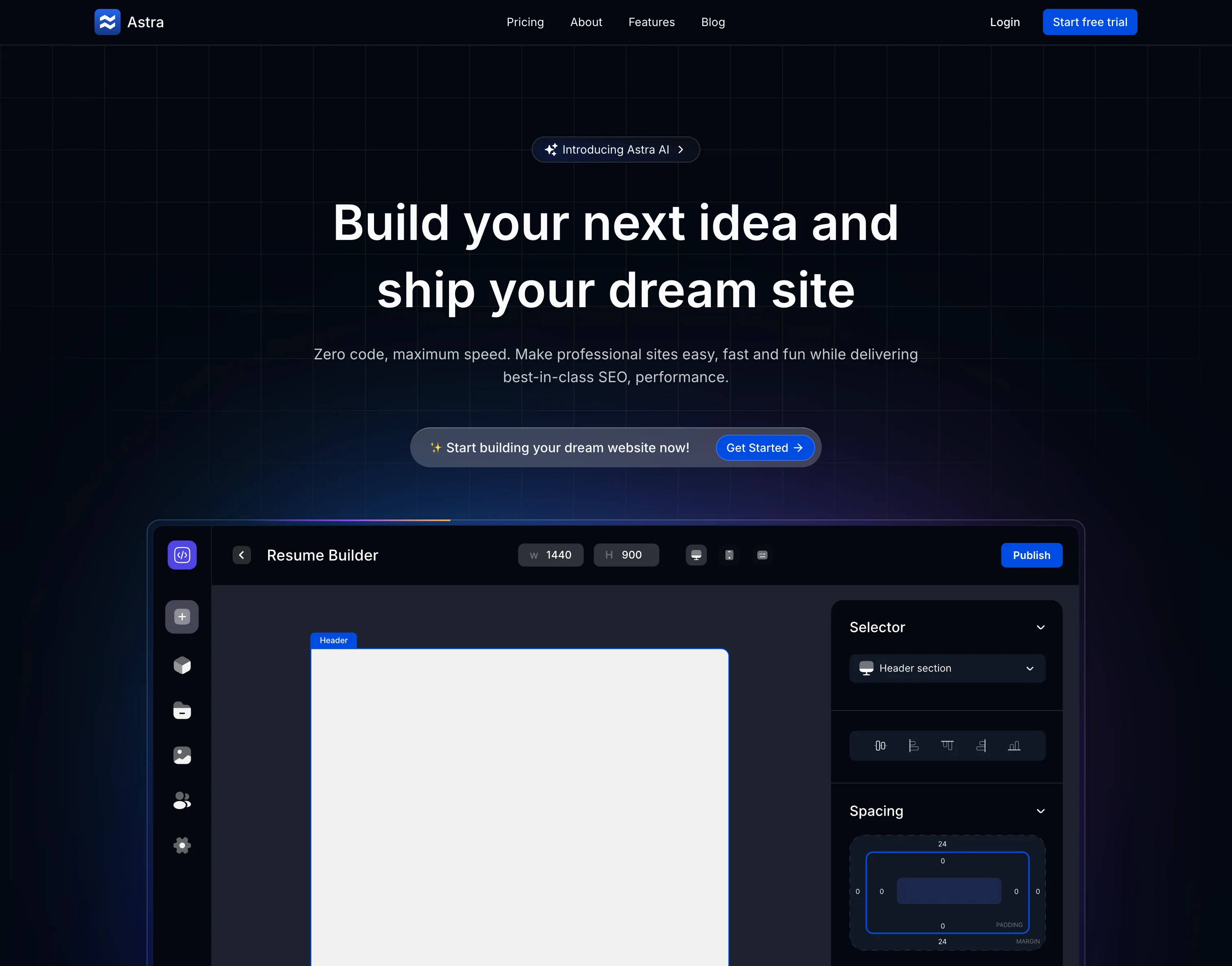
Astra is a sleek, conversion-focused landing page for a no-code website builder platform. With minimalist design and strategic use of whitespace, it demonstrates how to present complex software in a simple, approachable way. The design emphasizes the product itself through an interactive editor preview and clear value propositions.

Minimalist Excellence

Astra proves that sometimes less is more - with clean design, strategic whitespace, and focus on the product rather than busy graphics.

Page Components

Hero Section

Clear Value Proposition:

  • Headline - "Build Beautiful Websites Without Code"
  • Subheadline - "Design, launch, and grow your online presence"
  • Primary CTA - "Start Building Free"
  • Secondary CTA - "Watch Demo Video"
  • Trust Indicators - "No coding required • 14-day free trial"
  • Visual - Clean editor interface preview

Design Approach:

  • Centered layout
  • Ample whitespace
  • Large, readable typography
  • High-contrast CTAs
  • Minimal distractions

Product Editor Preview

Interactive Mockup:

  • Real editor interface
  • Drag-and-drop simulation
  • Component library preview
  • Property panel showcase
  • Responsive preview toggle
  • Live editing simulation

Key Features Shown:

  • Visual page builder
  • Component library
  • Style controls
  • Responsive views
  • Template sections
  • Publishing tools

Feature Highlights

Core Capabilities:

  1. Drag & Drop Builder

    • Intuitive interface
    • No learning curve
    • Real-time preview
    • Undo/redo
    • Component library
  2. Responsive Design

    • Mobile-first
    • Tablet optimization
    • Desktop layouts
    • Custom breakpoints
    • Preview all sizes
  3. Templates Library

    • 100+ templates
    • Industry-specific
    • Fully customizable
    • Regular updates
    • One-click import
  4. Custom Domains

    • Connect your domain
    • Free SSL
    • DNS management
    • Subdomain support
    • Email forwarding
  5. SEO Tools

    • Meta tag editing
    • Sitemap generation
    • Social sharing
    • Analytics integration
    • Performance optimization
  6. Team Collaboration

    • Multi-user editing
    • Comments and feedback
    • Version history
    • Role permissions
    • Activity log

Signup Flow

Authentication Pages:

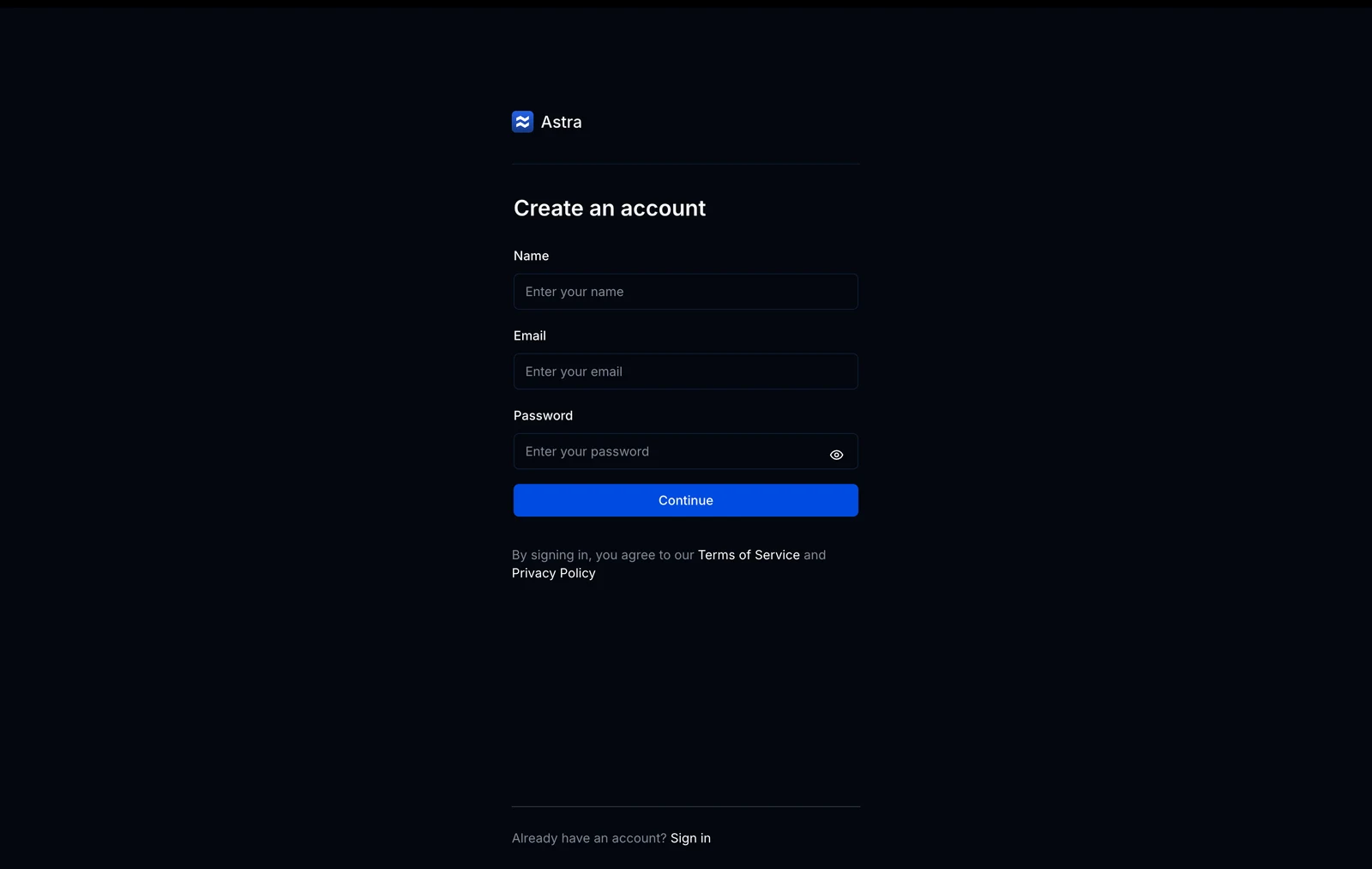
Sign Up Page:

  • Email registration form
  • Social login options (Google, GitHub)
  • Password requirements indicator
  • Terms acceptance checkbox
  • "Already have an account?" link
  • Clean, distraction-free design

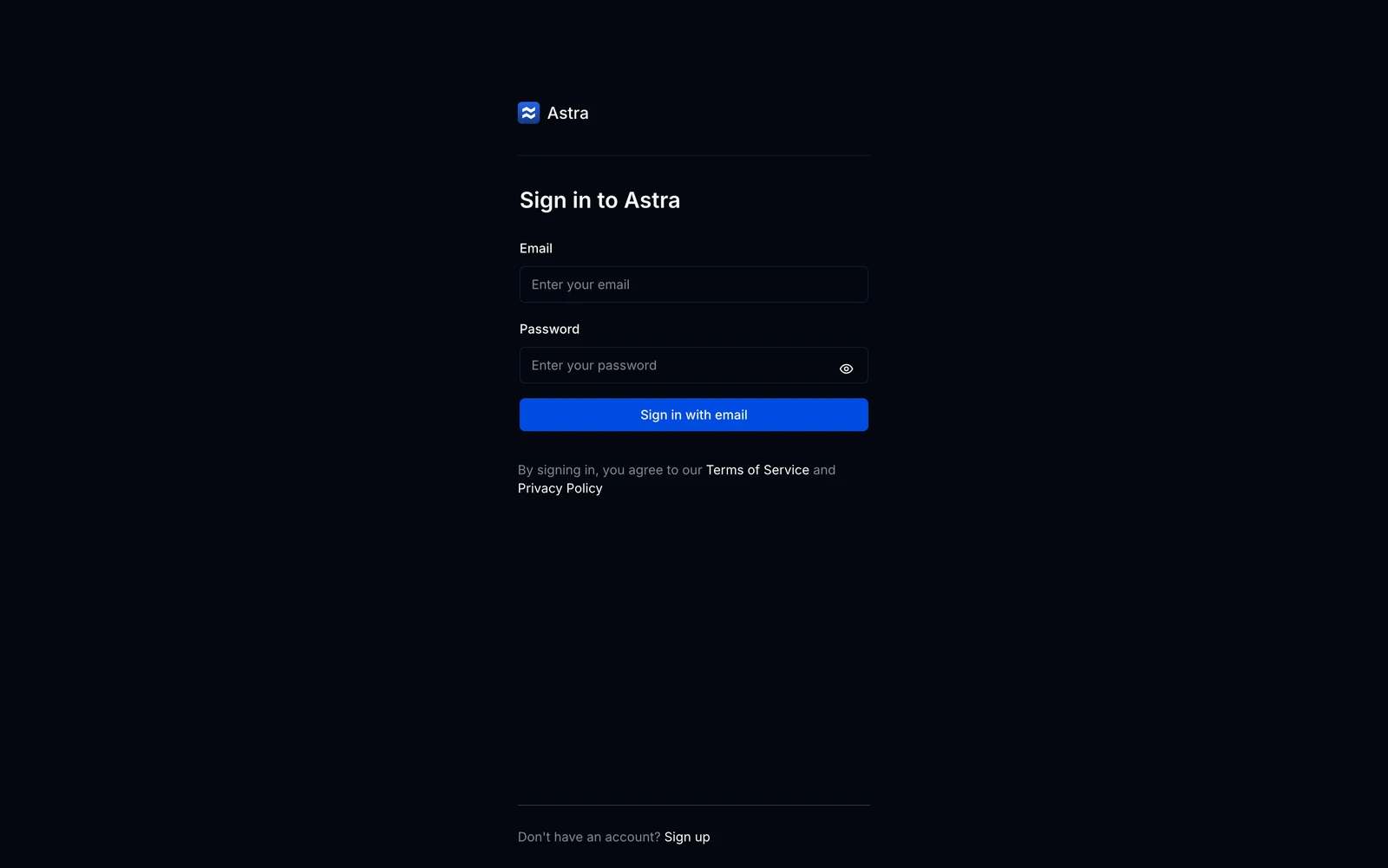
Login Page:

  • Email and password fields
  • "Remember me" checkbox
  • "Forgot password?" link
  • Social login options
  • Minimal, focused design

Onboarding:

  • Welcome screen
  • Template selection
  • Quick tutorial
  • First project creation
  • Dashboard tour

Design System

Color Palette

Primary Colors:

--blue-600: #2563eb
--blue-700: #1d4ed8
--blue-50: #eff6ff
--neutral-900: #171717
--neutral-100: #f5f5f5
--neutral-50: #fafafa

Usage:

  • Blue: Primary actions, links
  • Dark: Headlines, important text
  • Light: Backgrounds, sections
  • White: Cards, modals

Typography

Font: Inter

  • Very clean, readable
  • Excellent at all sizes
  • Professional appearance

Hierarchy:

  • Display: 72px / 700 weight
  • H1: 56px / 700
  • H2: 40px / 600
  • H3: 28px / 600
  • Body: 18px / 400
  • Small: 14px / 400

Line Height:

  • Headlines: 1.2
  • Body: 1.6
  • UI Elements: 1.5

Spacing System

Scale (px):

4, 8, 12, 16, 24, 32, 48, 64, 96, 128

Consistent Application:

  • Sections: 96px vertical padding
  • Cards: 32px padding
  • Buttons: 12px 24px
  • Grid gaps: 24px
  • Element margins: 16px

Component Library

Primary Button:

background: #2563eb;
color: white;
padding: 14px 28px;
border-radius: 10px;
font-weight: 600;
font-size: 16px;
box-shadow: 0 4px 12px rgba(37, 99, 235, 0.25);

/* Hover */
background: #1d4ed8;
transform: translateY(-1px);
box-shadow: 0 6px 16px rgba(37, 99, 235, 0.3);

Button Variants:

  • Primary (filled blue)
  • Secondary (outline blue)
  • Ghost (transparent)
  • Danger (red for delete actions)
  • Success (green for confirmations)

Sizes:

  • Small: 10px 20px
  • Medium: 12px 24px (default)
  • Large: 14px 28px

Input Field Design:

border: 1.5px solid #e5e7eb;
border-radius: 8px;
padding: 12px 16px;
font-size: 16px;
background: white;

/* Focus */
border-color: #2563eb;
outline: none;
box-shadow: 0 0 0 3px rgba(37, 99, 235, 0.1);

Form Elements:

  • Text inputs
  • Textareas
  • Select dropdowns
  • Checkboxes
  • Radio buttons
  • Toggle switches

Validation:

  • Inline error messages
  • Success indicators
  • Real-time validation
  • Clear error states

Card Style:

background: white;
border: 1px solid #e5e7eb;
border-radius: 12px;
padding: 24px;
box-shadow: 0 1px 3px rgba(0, 0, 0, 0.08);
transition: all 0.2s ease;

/* Hover */
border-color: #d1d5db;
box-shadow: 0 4px 12px rgba(0, 0, 0, 0.12);
transform: translateY(-2px);

Card Types:

  • Feature cards
  • Template cards
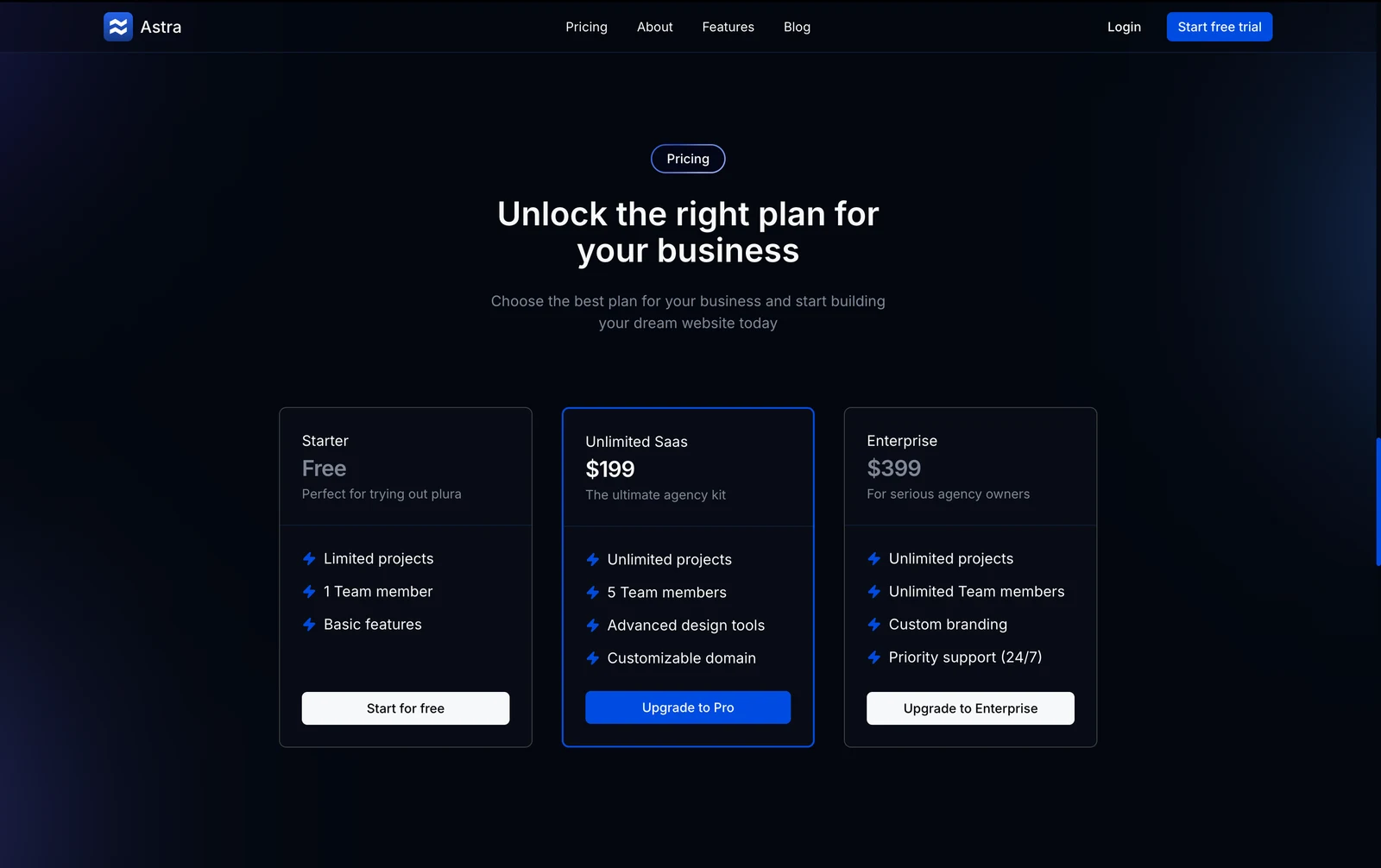
  • Pricing cards
  • Testimonial cards
  • Blog post cards

Header:

  • Fixed position
  • Backdrop blur
  • Logo left aligned
  • Navigation center
  • CTA button right

Mobile Menu:

  • Slide-in drawer
  • Full-screen overlay
  • Smooth animations
  • Touch-friendly
  • Close on selection

Footer:

  • Four-column layout
  • Social icons
  • Newsletter signup
  • Copyright info
  • Legal links

Editor Preview Design

Interface Components

Sidebar - Component Library:

  • Sections (Headers, Content, Forms, etc.)
  • Drag handles
  • Component thumbnails
  • Search functionality
  • Filter by category

Main Canvas:

  • Visual editing area
  • Drop zones highlighted
  • Selected element outline
  • Inline editing
  • Context menu

Right Panel - Properties:

  • Style controls
  • Content editing
  • Settings options
  • Responsive toggles
  • Advanced options

Top Toolbar:

  • Undo/redo buttons
  • Device preview toggle
  • Zoom controls
  • Save status
  • Publish button

Animations

Framer Motion Effects:

Page Load:

<motion.div
  initial={{ opacity: 0, y: 20 }}
  animate={{ opacity: 1, y: 0 }}
  transition={{ duration: 0.5 }}
>

Scroll Reveal:

  • Features fade in sequentially
  • Editor preview slides from side
  • Stat counters animate
  • Testimonials rotate

Hover States:

  • Template cards scale slightly
  • Feature icons bounce
  • Buttons lift with shadow
  • Links underline animate

Micro-interactions:

  • Button presses (scale down briefly)
  • Toggle switches slide
  • Checkboxes check with animation
  • Loading spinners spin smoothly

Technology Stack

Next.js 14

  • App Router
  • Server Components
  • Optimized performance

TypeScript

  • Full type safety
  • Better DX

Tailwind CSS

  • Custom design system
  • Responsive utilities
  • JIT compilation

Shadcn UI

  • Form components
  • Dialog modals
  • Dropdown menus

Framer Motion

  • Page transitions
  • Scroll animations
  • Gesture support

Responsive Behavior

Mobile (< 768px)

Adaptations:

  • Single column layout
  • Hamburger menu
  • Simplified editor preview
  • Stacked feature cards
  • Bottom sheet CTAs
  • Touch-optimized spacing

Tablet (768px - 1024px)

Optimizations:

  • Two-column grids
  • Collapsible sidebar
  • Medium-sized previews
  • Adjusted typography
  • Hybrid interactions (touch + hover)

Desktop (> 1024px)

Full Experience:

  • Multi-column layouts
  • Full editor preview
  • Rich hover effects
  • Side-by-side comparisons
  • Expanded navigation

Use Cases

Freelancers

Build client websites quickly:

  • Portfolio sites
  • Business websites
  • Landing pages
  • Event pages
  • Personal blogs

Small Businesses

Affordable web presence:

  • Company websites
  • Online stores
  • Service pages
  • Contact forms
  • Team pages

Agencies

Scale production:

  • Client projects
  • Rapid prototyping
  • Template reuse
  • Team collaboration
  • White label option

Performance

Optimization Techniques:

  • Next.js image optimization
  • Code splitting
  • Lazy loading
  • Font optimization
  • Static generation

Benchmarks:

  • Lighthouse: 95+
  • FCP: < 1.0s
  • LCP: < 1.5s
  • TTI: < 2.0s
  • CLS: < 0.05

Getting Started

Explore the Site

Visit astra.naseemkhan.dev to see the clean, minimalist design.

View Editor Preview

Interact with the product mockup to understand the builder interface and capabilities.

Test Signup Flow

Experience the authentication pages:

  • Sign up form
  • Login page
  • Password reset
  • Onboarding (simulated)

Adapt the Design

Customize for your product:

  • Update branding
  • Modify color scheme
  • Change editor mockup
  • Adjust feature list
  • Update copy

Key Design Principles

Clarity Above All

Astra's design philosophy: Clear messaging, minimal distractions, and letting the product speak for itself through an interactive preview.

Minimalism

Less is More:

  • Ample whitespace
  • Simple layouts
  • Limited color palette
  • Clear typography
  • Focused content

Benefits:

  • Faster loading
  • Better comprehension
  • Reduced overwhelm
  • Professional appearance
  • Timeless design

Product-Focused

ShowDon't Tell:

  • Interactive editor preview
  • Real interface mockup
  • Actual use cases
  • Visual demonstrations
  • Minimal marketing speak

Future Enhancements

  • Video Tutorials - Product walkthrough videos
  • Live Demo - Try the builder without signup
  • Template Showcase - Browse all templates
  • Customer Stories - Detailed case studies
  • Blog Integration - Content marketing
  • Knowledge Base - Self-service help
  • Community Forum - User discussions
  • Marketplace - Third-party add-ons

Experience Minimalist Design

See Astra's clean, focused approach at astra.naseemkhan.dev!