Overview
SwiftCart is a full-stack e-commerce application on the Next.js App Router, built around a single AppContext provider that keeps products, cart, user, and currency state in sync across every page. Customers browse products, manage a persistent cart, save multiple shipping addresses, and check out with either Stripe or Cash on Delivery, while a role-guarded seller dashboard handles inventory and order management on the same MongoDB backend.
The webhook is the source of truth
Orders are created before payment succeeds, not after. /api/order/stripe opens a Checkout Session for an already-existing order, and the Stripe webhook at /api/stripe is the only place that flips payment: true — or deletes the order entirely if payment fails. Cart clearing and payment confirmation both hang off that single webhook event.
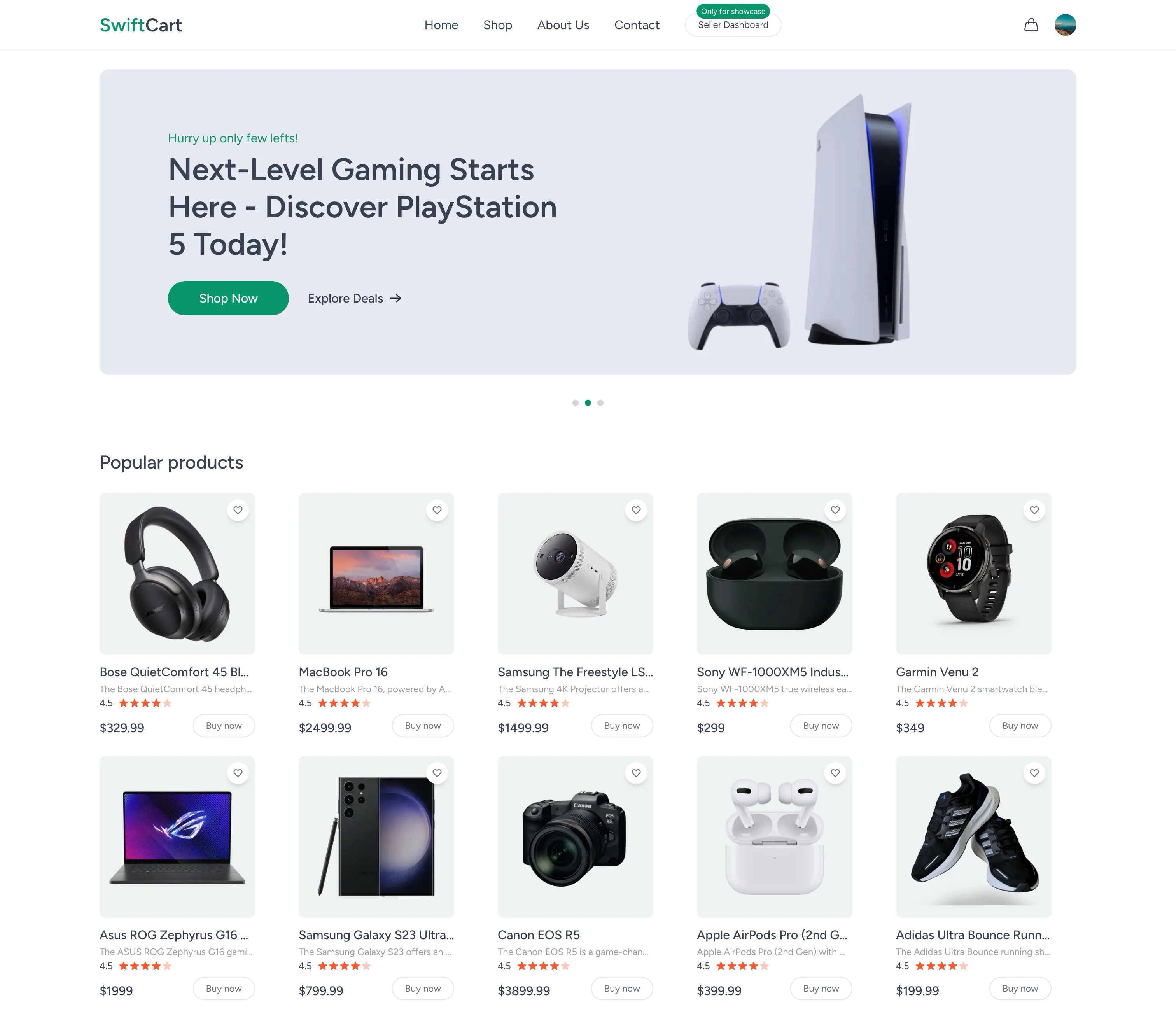
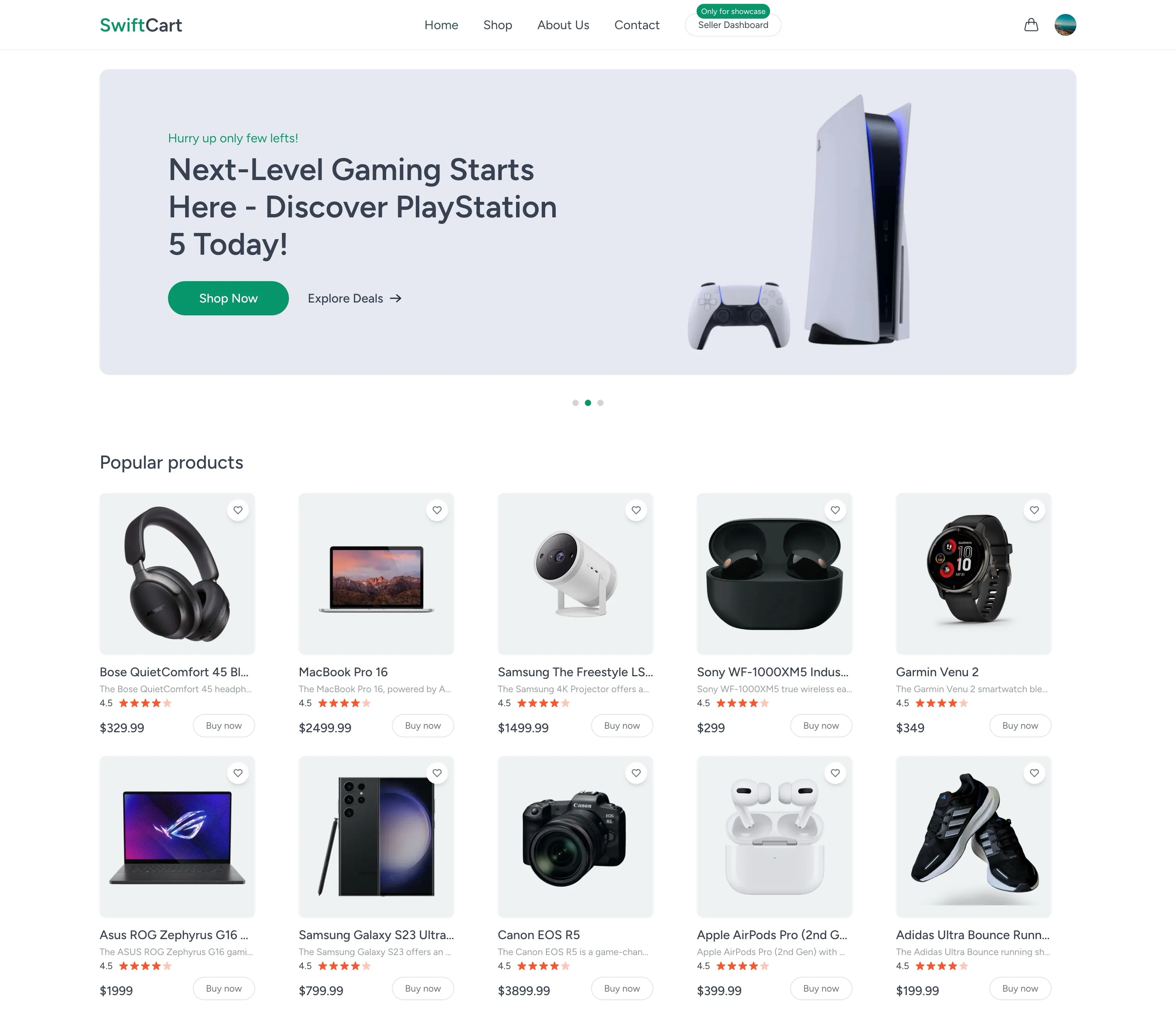
The SwiftCart storefront homepage — header slider, promotional banners, and product listings.
Feature Breakdown
Product Browsing
All-products listing, featured and latest product sections, and a dynamic
/product/[id] detail page.
Cart & Addresses
Server-synced add / update / remove cart operations and multiple saved shipping addresses per user.
Checkout
Stripe Checkout sessions or Cash on Delivery, with an order history page and a dedicated order-placed confirmation screen.
Seller Dashboard
Clerk publicMetadata.role === "seller"-gated pages to add products
(multi-image Cloudinary upload), list products, delete products, and view
seller orders.
Background Jobs
Inngest functions sync Clerk user create / update / delete events and batch-persist orders off the request lifecycle.
Auth
Clerk-powered sign in / sign up, a ClerkAutofill helper for demo
credentials, and middleware.ts wiring Clerk into protected routes.
Technology Stack
Next.js 15 (App Router, Turbopack) on React 19, Tailwind CSS 3, Lucide React icons, and React Hot Toast / React Toastify for notifications. HTTP calls to internal API routes go through Axios.
Clerk (@clerk/nextjs) handles user auth, session management, and the
seller role via publicMetadata.role. MongoDB via Mongoose ODM stores
users, products, orders, and addresses, with a cached connection in
config/db.js to avoid reconnecting on every serverless invocation.
Stripe (stripe + @stripe/stripe-js) drives hosted Checkout Sessions and
webhooks, alongside a Cash on Delivery flow. Cloudinary handles product
image uploads for the seller dashboard.
Inngest processes Clerk user sync events (create / update / delete) and a batched order-creation event, decoupling both from the HTTP request lifecycle.
Architecture
Checkout & Order Lifecycle
The order record exists before payment is confirmed, and the payment method decides how it gets finalized.
User Sync & Background Jobs
Clerk fires a user event
A user is created, updated, or deleted in Clerk.
Inngest receives the event
The corresponding sync function (registered at /api/inngest) picks up the
event asynchronously, off the request/response cycle.
MongoDB is updated
The User model (keyed by the Clerk user id) is created, updated, or
removed to stay in sync with Clerk's own record.
Order creation follows the same pattern: /api/order/create (COD) emits an
order/created event that a batched Inngest function turns into a MongoDB
write, keeping the checkout request itself fast.
Data Models
_id is the Clerk user id. Fields: name, email, imageUrl, and
cartItems — an object map of productId -> quantity.
userId (seller), name, description, price, offerPrice, image[]
(Cloudinary URLs), category, date.
userId, items[] { product, quantity }, amount, an embedded address,
status (defaults to Order Placed), paymentMethod (COD or Stripe),
payment (boolean), date.
A user's shipping address — first/last name, email, street, city, state, zipcode, and phone.
Project Structure
Getting Started
pnpm installThen configure the environment variables below (MongoDB, Clerk, Cloudinary,
Stripe, currency, and Inngest keys) in .env.
pnpm devStarts the dev server with Turbopack.
pnpm build
pnpm start
Runs a production build, then serves it.
Environment variables
MONGODB_URI, NEXT_PUBLIC_CLERK_PUBLISHABLE_KEY, CLERK_SECRET_KEY,
CLOUDINARY_CLOUD_NAME, CLOUDINARY_API_KEY, CLOUDINARY_API_SECRET,
STRIPE_SECRET_KEY, STRIPE_WEBHOOK_SECRET,
NEXT_PUBLIC_STRIPE_PUBLISHABLE_KEY, NEXT_PUBLIC_CURRENCY,
INNGEST_EVENT_KEY, and INNGEST_SIGNING_KEY all need to be set before
checkout, media upload, or background jobs will work.
Frequently Asked Questions
See it in action
Explore the live storefront and seller dashboard at swiftcart.naseemkhan.dev to see the full product browsing, cart, checkout, and order management flow.